


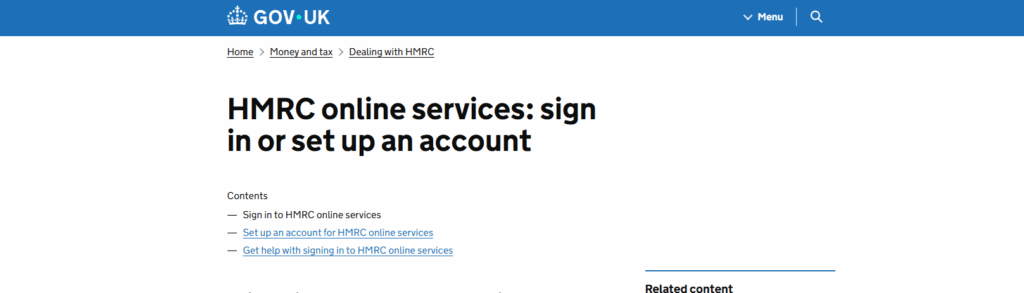
Understanding the Importance of a Government Gateway Account for Managing HMRC Taxes
A Government Gateway account is an essential tool for managing your tax affairs with HM Revenue and Customs (HMRC) in the UK. This secure online platform serves as your personal portal to access and manage various tax services.
Why a Government Gateway Account is Important
- Centralised Tax Management: Access all your tax affairs in one place, including Employment Related Securities (ERS), VAT, PAYE, and Corporation Tax.
- 24/7 Accessibility: Manage your taxes anytime, anywhere without having to call HMRC.
- Efficient Communication: Receive important notifications and reminders directly from HMRC.
- Paperless Experience: Reduce paperwork by handling submissions and payments electronically.
- Filing Deadlines: Submit tax returns and make payments on time, avoiding penalties for late submissions.
- Update your details: Submit payment details, set up direct debits and update your address details.
How to Create a Government Gateway Account
If you don’t already have a Government Gateway account, follow these steps to create one:
- Visit the Government Gateway portal: Go to the Government Gateway sign-in page.
- Click “Create sign in details”: This option is available under the “New users of Government Gateway” section.
- Provide your email address: Enter a valid email address where you’ll receive a confirmation code.
- Create a password: Choose a strong, secure password for your account.
- Retrieve your Government Gateway ID: After completing the registration, you’ll receive a unique Government Gateway user ID. Keep this safe as you’ll need it every time you sign in.
- Set up additional security: You may be asked to set up additional security measures, such as security questions or two-factor authentication.
- Complete the verification process: Depending on which tax services you need, you may need to verify your identity using one of several methods (passport, P60, tax credits, etc.).
How to Add Taxes You’ve Already Registered For
If you’ve previously registered for certain taxes with HMRC but need to add them to your Government Gateway account:
- Sign in to your Government Gateway account: Use your Government Gateway ID and password.
- Navigate to “Your Services” or “Add a tax, duty or scheme”: This section allows you to add additional tax services.
- Select the tax type: Choose from the list of available tax services (e.g., Self Assessment, VAT, PAYE for employers).
- Provide your existing reference numbers: Enter the relevant reference numbers for the tax you’re adding. For example:
- VAT: VAT Registration Number
- PAYE: Employer PAYE Reference
- Corporation Tax: Company UTR or Company Registration Number
- Complete the security checks: You may need to answer additional security questions to verify your identity.
- Confirmation: Once verified, the tax service will be added to your account dashboard.
How to Register for New Taxes
If you need to register for taxes you haven’t previously set up with HMRC:
- Sign in to your Government Gateway account: Use your Government Gateway ID and password.
- Select “Your Services” or similar: Look for an option to add new services or register for taxes.
- Choose “Register for new taxes”: This option allows you to apply for tax registrations you don’t currently have.
- Select the tax type: Choose the specific tax you want to register for:
- VAT: If your business turnover exceeds the VAT threshold or you want to register voluntarily
- PAYE: If you’re an employer and need to run payroll
- Corporation Tax: For limited companies or associations
- Complete the registration form: Provide all required information about yourself or your business.
- Submit your application: After reviewing all details, submit your registration application.
- Await confirmation: HMRC will process your application and send confirmation of your registration, usually with relevant reference numbers.
- Access the new service: Once registered, the new tax service will appear in your Government Gateway dashboard.
- Corporation Tax: Most companies automatically register for Corporation Tax when they establish their company. Check you do not duplicate your registration.
Tips for Managing Your Government Gateway Account
- Keep your credentials secure: Never share your Government Gateway ID or password with anyone, not even your accountant. Your accountant should access your records from their own agent account.
- Update your contact details: Ensure your email and phone number are current to receive important notifications.
- Set calendar reminders: Note key deadlines for filing returns and making payments.
- Check messages regularly: HMRC will send important communications to your secure inbox.
- Maintain records: Keep digital or physical copies of all submissions and confirmations.
By effectively using your Government Gateway account, you can streamline your tax management process, ensure compliance with HMRC requirements, and avoid unnecessary penalties or complications.